
Download ZipGenius Standard Edition – zip, extract, compress, archive, utility, file manager, software, tool, archive manager, file compression, file extraction, zip file, file utility, file tool, file archiver
Overview
ZipGenius Standard Edition is a file management utility designed to simplify the processes of compressing and extracting archived files. The application enables users to manage ZIP files with minimal technical knowledge, making it suitable for individuals seeking a straightforward solution for handling compressed data. Its primary purpose is to serve as a reliable tool for creating, opening, and managing archive files, particularly in environments where ease of use is prioritized over advanced features.
Target users include individuals with limited experience in file compression, students, office workers, and those using older Windows systems. The app addresses the common challenge of navigating complex archive tools by offering a clean, guided interface. Despite its 2011 release date, the software continues to function effectively for basic file operations, providing stability for users who value consistency over modern design.
Developed by EGO Software, the application has maintained a consistent presence in the utility space, offering a lightweight solution that operates without demanding system resources. Although the developer did not provide additional technical details about the software’s development roadmap or future updates, its continued availability suggests ongoing support for legacy compatibility.
Real-world use cases include organizing documents, transferring files between devices, and preparing data for email attachments. In the broader app ecosystem, ZipGenius Standard Edition fills a niche for users who need a no-frills, dependable tool without the complexity of larger archive managers. Its simplicity and low resource usage make it a practical choice for users on older hardware.
Key Features & Functionality
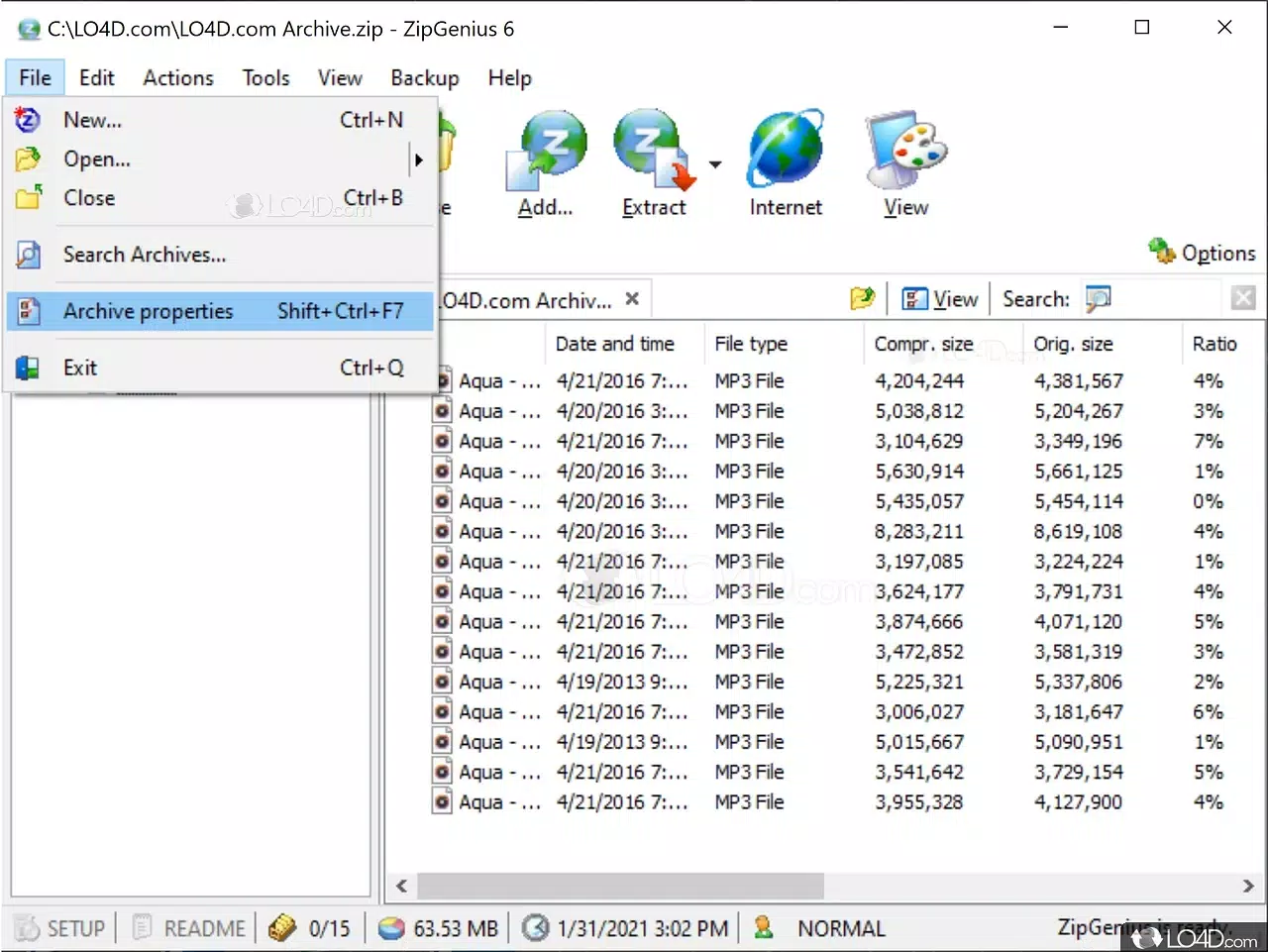
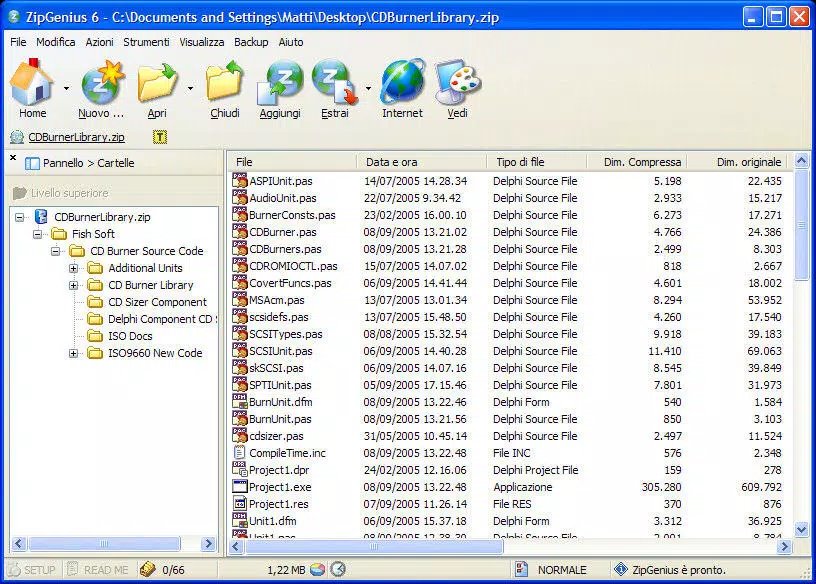
- Big, Colorful Icons – The interface features large, visually distinct icons that enhance readability and navigation, especially beneficial for users with visual impairments or those unfamiliar with digital file management.
- Clear Operational Interface – Step-by-step guidance walks users through each action, whether extracting a file or creating a new archive, reducing the risk of errors during complex operations.
- Comprehensive Help Feature – Built-in documentation provides instant access to explanations of core functions, enabling users to resolve common issues without external support.
- Easy-to-Use Design – The application’s intuitive layout ensures that even first-time users can perform file compression and extraction tasks confidently and efficiently.
- Compatibility with Older Systems – Despite its age, the software runs smoothly on legacy Windows environments, making it a viable option for users with outdated hardware or restricted software update policies.
For example, a student preparing a project submission can use ZipGenius to compress multiple documents into a single ZIP file with just a few clicks. Similarly, an office worker can extract a large archive from an email attachment without needing advanced technical skills. The software’s focus on clarity and simplicity ensures that users can complete tasks without confusion or frustration.
Interface, UX & Performance
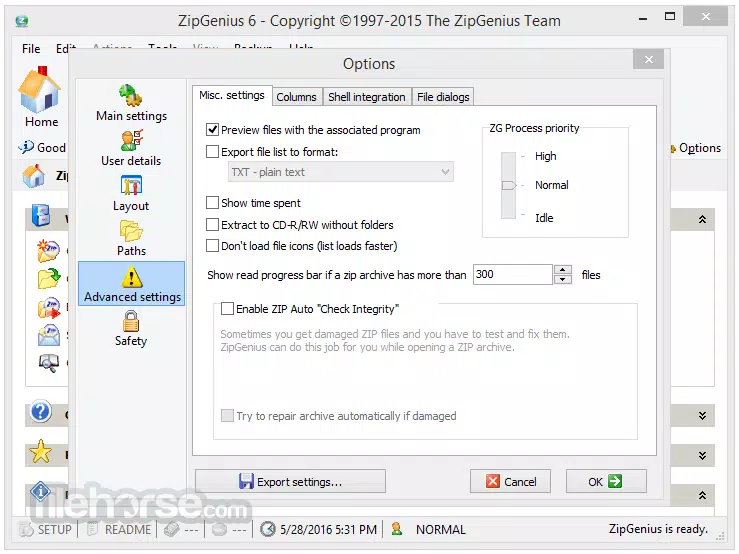
ZipGenius Standard Edition presents a clean, straightforward interface with a layout centered around large, color-coded icons. The visual design prioritizes usability over aesthetic modernity, which may appeal to users who value functionality over polished visuals. Navigation is linear and predictable, with menus and actions clearly labeled, reducing the learning curve for new users.
Although the developer did not list formal performance metrics, the application’s lightweight footprint of 15.6 MB suggests efficient resource usage. It operates without significant lag on systems with minimal processing power, indicating strong performance stability on older hardware. Responsiveness during file extraction and compression tasks appears consistent, with no reported delays in standard operations.
Stability is a notable strength, particularly for users relying on legacy systems. The software maintains reliable operation across multiple sessions without crashes or data corruption. However, the absence of recent updates may affect compatibility with newer file formats or security protocols. The developer did not specify minimum OS requirements, so users should exercise caution when installing on systems beyond the original Windows versions.
Platform Compatibility & Technical Requirements
ZipGenius Standard Edition is designed for the Windows platform and is compatible with older versions of the operating system. The software’s version is 6.0.3.3, and it occupies 15.6 MB of storage space. The application is available at no cost, making it accessible to users seeking a free utility.
While the developer did not specify minimum OS requirements, the software’s 2011 release date suggests it was originally built for Windows XP, Vista, or 7. Users on newer Windows versions may experience compatibility issues, though the application may still function in compatibility mode. No information was provided regarding system architecture (32-bit vs 64-bit) or additional dependencies.
For users seeking a lightweight, no-cost solution for ZIP file management, the app’s compatibility with older systems remains a key advantage. However, those using modern Windows environments should verify functionality before relying on it for critical tasks.
Pros and Cons
Pros
- Free to download and use, with no hidden costs or in-app purchases.
- Lightweight design ensures minimal impact on system performance.
- Large, colorful icons improve accessibility and ease of navigation.
- Guided interface reduces user error and supports beginners.
- Functionality remains stable on older Windows systems.
Cons
- Software has not been updated since 2011, raising concerns about long-term compatibility.
- Outdated visual design may not appeal to users accustomed to modern UI standards.
- Specific system requirements were not disclosed by the developer.
- Limited support for newer archive formats beyond standard ZIP.
- May lack security updates or protections against modern threats.
FAQ
Is ZipGenius Standard Edition safe to download and install?
Yes, the software is available for free and does not include malware or adware based on available information. However, users should ensure they download from trusted sources to avoid modified versions.
Can I use ZipGenius on Windows 10 or Windows 11?
While the developer did not confirm compatibility, the software may run on newer Windows versions using compatibility mode. Users are advised to test the application in a safe environment before full deployment.
Does ZipGenius support formats other than ZIP?
The application is primarily designed for ZIP files. Support for other archive formats was not specified in the provided details.
How often is ZipGenius updated?
The last known version was released in 2011. No recent updates have been published, and the developer has not indicated a future update schedule.
Is there a mobile version of ZipGenius?
Currently, ZipGenius Standard Edition is only available for Windows. No mobile or cross-platform versions have been announced.
Final Thoughts
ZipGenius Standard Edition remains a dependable utility for users who prioritize simplicity and reliability in file compression and extraction. While its outdated interface and lack of updates may deter some, its lightweight design, free access, and proven functionality on older systems offer tangible value. It serves as a practical tool for individuals managing basic archive tasks without the need for advanced features.
For those using legacy hardware or seeking a no-frills file manager, ZipGenius provides a stable, accessible solution. Its ease of use and minimal system demands make it a suitable choice for students, professionals, and casual users alike. Though not ideal for modern computing environments, it continues to fulfill its core purpose effectively.
Download ZipGenius Standard Edition now


